Why Your Millwork Shop Drawings Keep Coming Back in Red
By A2Z Team · · 8 min read · Millwork Drafting
The submittal you sent for approval just landed back in your inbox, and it is covered in red again. Every one of those marks is another change to make, another round to resubmit, and another few days before you get the approval that lets fabrication start. Meanwhile your shop floor is waiting, your drafters are pulled off the next job to fix this one, and the project schedule keeps slipping.
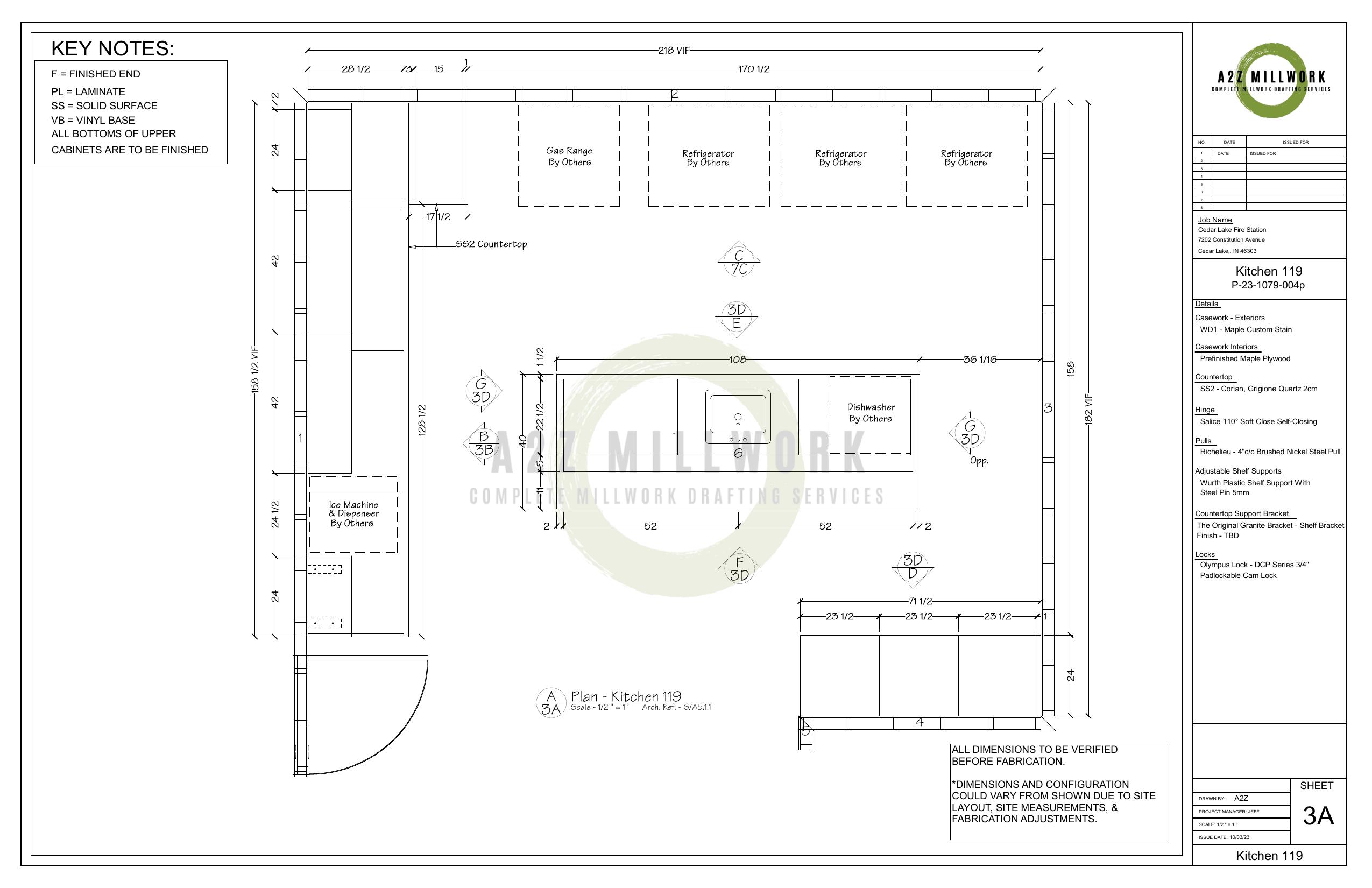
A few redlines are normal. Most commercial millwork submittals go through two to three review rounds before they are approved, and that is healthy. The problem is when the same drawings keep coming back heavily marked, round after round. That is not a normal review cycle. That is a profit and schedule leak, and it almost always traces back to a handful of fixable causes.
This guide explains what a redline actually is, why millwork shop drawings get returned in red, what the revision cycle really costs your shop, and how to cut it down.
What a Redline Is and How It Differs From an As-Built Drawing
A redline is a markup. When you send a shop drawing submittal to the architect or general contractor for review, they print or open it and mark their corrections, changes, and questions directly on the drawing, almost always in red so the marks stand out. Those red marks are the changes they want before they will approve the drawing for fabrication. Picking up redlines simply means going back into the CAD file and making every change they marked.
An as-built drawing is a different document that lives at the opposite end of the project. As-builts are the final record set, produced after the work is installed, showing what was actually built including any changes that happened in the field. A redline is a review markup that happens before fabrication. An as-built is a record of what got built after installation.
People mix the two up because both involve red marks on a drawing. The simplest way to keep them straight is timing and purpose. A redline asks for changes during review. An as-built records reality at the end. This guide is about the first kind, the review redlines on your shop drawing submittals, because that is the cycle that stalls production. For the full submittal process, see the millwork shop drawings submittals guide.
Why Millwork Shop Drawings Come Back in Red
Reviewers do not mark drawings in red to be difficult. Almost every redline traces back to one of five things. Here they are, with how to keep each one off your drawings.
Clashes With Other Trades and Field Conditions
Millwork does not live in isolation. A run of base cabinets shares a wall with electrical, plumbing, and HVAC, and it has to fit the room as it was actually built, not as it was drawn. If your drawing places a cabinet where there is a floor outlet, a thermostat, a return-air grille, or a column that moved in the field, the reviewer will mark it in red.
The fix. Draft against the current architectural set and, wherever possible, field-verified dimensions. Check your millwork against the mechanical, electrical, and plumbing locations before you submit, and flag any clash you cannot resolve so it gets answered instead of rejected.
Drafting From an Outdated Design Set
One of the most common reasons a submittal comes back is that it was detailed from a superseded set of architectural drawings. The architect issued a bulletin or an addendum, the dimensions or finishes changed, and your drawing still reflects the old version. To the reviewer, it reads as wrong even though it matched the set you had.
The fix. Confirm you are working from the latest architectural revision before you start. Check bulletin and addendum numbers and revision dates with the general contractor, and re-verify them before each resubmittal.
Missing Dimensions, Details, and Specifications
A shop drawing has to carry far more than design intent. It has to be complete enough to build from. If a drawing copies the architectural look but leaves out exact dimensions, sections through the tricky assemblies, joinery, edge treatments, grain direction, finish callouts, or hardware with real manufacturer part numbers, it will come back asking for all of it.
The fix. Build every sheet to fabrication completeness. Full dimensions, section cuts through critical joinery, a hardware schedule, and a finish schedule that matches the project specification. The more complete the first submittal, the fewer rounds it takes.
Unlogged RFIs and Field Changes
Projects change as they go. A request for information gets answered, a field directive adjusts a dimension, a finish gets substituted. If those approved changes are not carried into your shop drawings, the drawing no longer matches the current state of the project, and the review team marks it up.
The fix. Keep a running log of approved RFIs and field directives, and make sure your drafters integrate them before a submittal goes out. The drawing should always reflect the latest approved information, not the original plan.
Weak Title Blocks and Revision Tracking
Reviewers need to know exactly what they are looking at, which sheet it is, which revision, and whether it is a first submittal or a resubmittal. When title blocks are inconsistent, revisions are not clouded, or there is no revision history, the same issues get raised again and again because no one can tell what changed between rounds.
The fix. Standardize your title blocks. Cloud your revisions with delta tags, keep a clear revision history and sheet index, and label the submittal status so each round is easy to review against the last.
What the Revision Cycle Really Costs Your Shop
The cost of a redline is not the redraw. A drafter fixing a few marked-up sheets is cheap. The expensive part is everything that waits behind the approval.
Fabrication cannot start until the submittal is approved. So every red round pushes the approval date, and a pushed approval date pushes the day your saws and CNC machines start cutting. While that drawing sits in another revision, your shop capacity either sits idle or gets reshuffled, and your in-house drafters are pulled off the next paying job to rework this one.
Then there is the schedule. Miss a submittal deadline and you can lose your slot on the general contractor's schedule, and getting re-slotted can cost weeks, not days. And if an error slips through the review and is not caught until material is already cut, the cost multiplies. Now you are paying for wasted material, shop rework, and the knock-on delay to every other trade waiting on your installation.
- 2 to 3 revision rounds are typical before a commercial millwork submittal is approved
- Weeks that a slow revision cycle can add to a fabrication timeline
That is why the revision cycle deserves real attention. A clean first submittal, and a fast, accurate turnaround on the redlines that do come, is worth far more than the drafting hours it costs.
How to Break the Redline Cycle
There are three levers, and they work together.
Get it right the first time. Most redlines are preventable. Drawing to a recognized millwork standard, coordinating against the current architectural set and field conditions, and completing every callout, section, and schedule before you submit is what produces a clean first submittal. As an AWI Gold Partner, A2Z drafts to Architectural Woodwork Institute standards so submittals meet the reviewer's expectations the first time. For the full picture of how the drawings are produced, see the guide on millwork drafting.
Turn the redlines around fast. Some revision is normal, so the goal is not zero rounds, it is short ones. The faster and more accurately you implement the marked changes, the less schedule you lose. Treating revision turnaround as a priority instead of a background task is itself a competitive advantage.
Use a drafting partner to absorb the volume. When revisions pile up, the hidden cost is that your best people stop fabricating and start reworking drawings. A dedicated millwork drafting partner absorbs the revision load, keeps your in-house team on production, and gives you fast, standards-compliant turnaround on both the original submittal and every redline round. This is exactly why so many shops route their shop drawings and revisions to a specialist rather than carrying the swing capacity in house.
How A2Z Handles Redlines and Revisions
A2Z Millwork Design is an AWI Gold Partner with a team of AWI-trained drafters who prepare millwork shop drawings and process revisions every working day. We draft to the current architectural set, coordinate against field conditions, and build submittals to fabrication completeness so the first round comes back with as few marks as possible.
When redlines do come, we treat the turnaround as a priority, because every day a submittal sits in revision is a day your shop floor waits. If your drawings keep coming back in red and it is costing you schedule, talk to our team about taking the drafting and the revision cycle off your plate.
Stuck in another red round?
Send us your current submittal and the markups. We will turn the redlines around fast, draft to AWI standards so the next round comes back clean, and keep your shop floor moving. Free quote in one business day, NDA available.
FAQ's
What is a redline drawing in construction?
A redline drawing is a drawing that has been marked up in red ink during review to show the changes, corrections, and questions that need to be addressed. In millwork, redlines appear when an architect or general contractor reviews a shop drawing submittal and marks the changes they want before they will approve it for fabrication.
What is the difference between a redline and an as-built drawing?
A redline is a review markup made before fabrication, showing the changes a reviewer wants on a submittal. An as-built drawing is a final record set produced after installation, showing what was actually built including field changes. Redlines happen during review, as-builts at the end of the project.
Who is responsible for redline drawings?
The reviewer marks the redlines. On a millwork submittal that is usually the architect or the general contractor, who note their required changes in red. The party who produced the drawing, the millwork drafter or fabricator, is then responsible for picking up those redlines and resubmitting an updated, corrected drawing.
Why do shop drawings get returned in red?
Most often because of clashes with other trades or field conditions, drafting from an outdated architectural set, missing dimensions or specifications, changes from RFIs that were not carried into the drawing, or unclear title blocks and revision tracking. Each of these gives the reviewer something to mark.
How can I reduce shop drawing revisions?
Submit a complete, coordinated first drawing. Work from the latest architectural set, verify field conditions, include every dimension, section, finish, and hardware callout, log and integrate approved RFIs, and use clear revision tracking. A clean first submittal and fast, accurate turnaround on any redlines are what bring the number of rounds down.
How much do shop drawing revisions cost?
The direct cost of redrawing a few sheets is usually small and is often billed as an overage on the original drafting fee. The larger cost is indirect, the delay to fabrication while you wait for approval, idle or reshuffled shop time, missed schedule slots, and, if an error is caught after material is cut, wasted material and rework. That downstream cost is usually far higher than the drafting time itself.
Can A2Z turn redline revisions around quickly?
Yes. A2Z treats revision turnaround as a priority, because every day a submittal sits in revision is a day fabrication waits. Our AWI-trained drafters process redline rounds quickly and accurately so you keep your place on the project schedule. Contact us to discuss turnaround for your specific project.