Cabinet Vision Price and Training: The Real Cost
By Aman Pratap · · 6 min read · Software Training
If you've been searching for the Cabinet Vision price, you've probably noticed the frustrating part already: there's no price. No pricing page, no number anywhere on the vendor site. You're not missing anything. Hexagon sells Cabinet Vision through sales quotes, and every shop gets its own number.
This post explains why that is, what drives the quote, and the two costs that never show up on it. We don't sell the software. We're a Cabinet Vision drafting team that produces shop drawings in it for millwork and cabinet shops in the US and Canada, and what follows is what we see it cost shops after they buy it.
Why you can't find the price
Cabinet Vision is quoted shop by shop because the package changes shop by shop. The quote moves with:
- How far you go toward the machines. A shop that needs drawings, cut lists, and reports is quoting a different package than a shop running parts straight to a CNC through Screen-to-Machine.
- Seats. One drafter or three.
- Add-ons. Specialty modules and libraries beyond the core drawing package, if your work calls for them.
- Support and updates. Ask how they're billed and whether they renew every year.
However the quote is structured for your shop, the number comes out of a conversation with the sales team, not off a page. If you want the real figure, request the quote. There's no shortcut, and anyone publishing "the price of Cabinet Vision" without talking to sales is guessing.
One tip: when you get that quote, ask what training costs and whether the post processor for your specific machine is included. Those two line items are easy to miss when you're focused on the license number.
The license is one cost out of three
The quote covers the license and nothing else. In our experience, shops that struggle with Cabinet Vision rarely point at the license price. They struggle with the two costs that came after it.
The license. That's the quote. Real money, but the most predictable of the three.
The setup. Out of the box, Cabinet Vision doesn't know how your shop builds. It doesn't know your construction methods, your materials, your edge banding rules, your hardware, or what your cut lists need to look like. All of that gets built into the software as your library and your standards. Until that work is done, the drawings and parts coming out of it are generic, and someone has to fix them by hand. This is the stretch where shops get discouraged, because for a while every project takes longer in the new software than it did the old way.
The person. The software doesn't draft. Someone in your shop has to own it, and owning it is a skill. We hear versions of the same story from shops that write to us. One shop's engineers were visually checking every single cabinet before nesting, because their catalog had enough issues that nobody trusted the output. Another was rebuilding a fabrication shop with only a little Cabinet Vision experience on the team. Both stories share a pattern: the license gets bought, the learning never gets finished, and the software ends up doing a fraction of what it could.
When you add up the real cost of going in house, it's license plus setup plus a person who knows the tool. That full number is the one to weigh against outsourcing, and it's much bigger than the quote.
What Cabinet Vision training covers
Training is how you shorten the setup time and the learning curve. A2Z runs Cabinet Vision training for shops, and the useful sessions are never generic software tours. They cover four things:
- Finding your way around. Placing cabinets and assemblies, editing parts, understanding how a change at the assembly level ripples into parts and reports.
- Your library and standards. Construction methods, materials, edge banding, and hardware set up as standards the software applies on its own, so drawings come out matching how your shop actually builds. This is the single biggest difference between a shop that likes Cabinet Vision and a shop that fights it.
- Outputs. Shop drawings clean enough to pass submittal review, cut lists your bench can trust, and labels and reports your floor will use.
- The machine side. If you cut on CNC, nesting and post processing through Screen-to-Machine, so parts land on the machine without hand work in between.
A shop wrote to us recently saying simply that they were trying to learn the fundamentals of Cabinet Vision. If you're in the same spot, that's what the training is for. We scope sessions around the products you sell, not sample projects.
The in house or outsource math
Should your shop run Cabinet Vision in house at all? We do both sides of this, so we have no reason to push you one way.
In house makes sense when drawing volume is steady enough to keep a trained person busy, your CNC runs off Cabinet Vision output every day, and you want every revision under your own roof. If that's you, buy it, budget for training, and treat the library setup as a real project with time set aside for it.
Outsourcing makes sense when the work comes in waves, when nobody has time to learn a deep piece of software during a busy season, or when the person who would do the drafting is also running the company. We also see a specific version of this: shops that run Cabinet Vision for production but need their submittal drawings in AutoCAD, because that's what the GC and architect want to review. They keep production in house and send the drawing package out.
And some shops land in the middle: they own Cabinet Vision, their team runs the day to day, and the overflow goes out the door. One shop running the current version asked us to partner on their drawing sets just to speed up their shop drawing and engineering process. That split is normal. If you want to see what a complete outsourced project looks like from intake to delivery, we walked through one in our Cabinet Vision case study.
What a finished set looks like
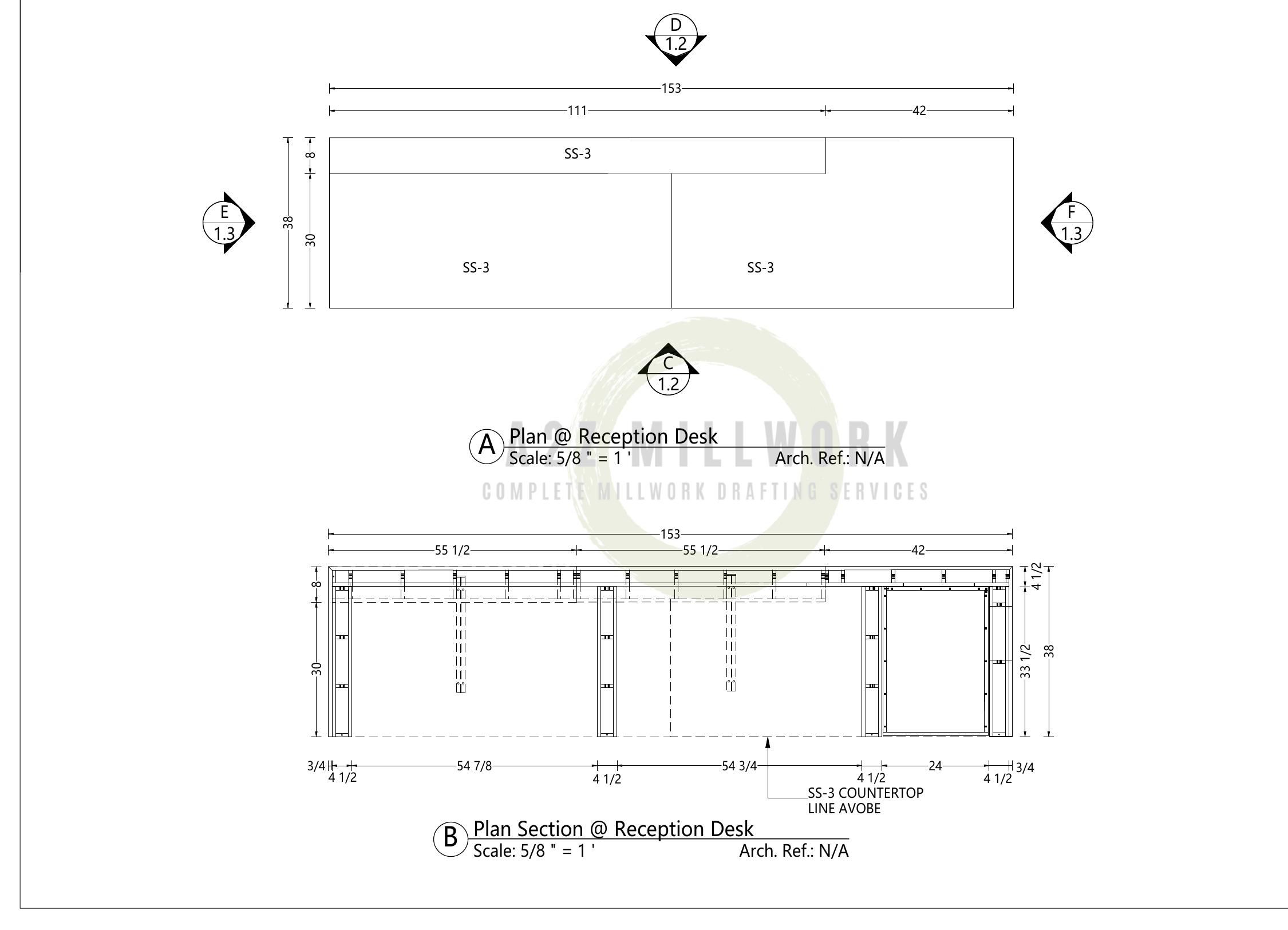
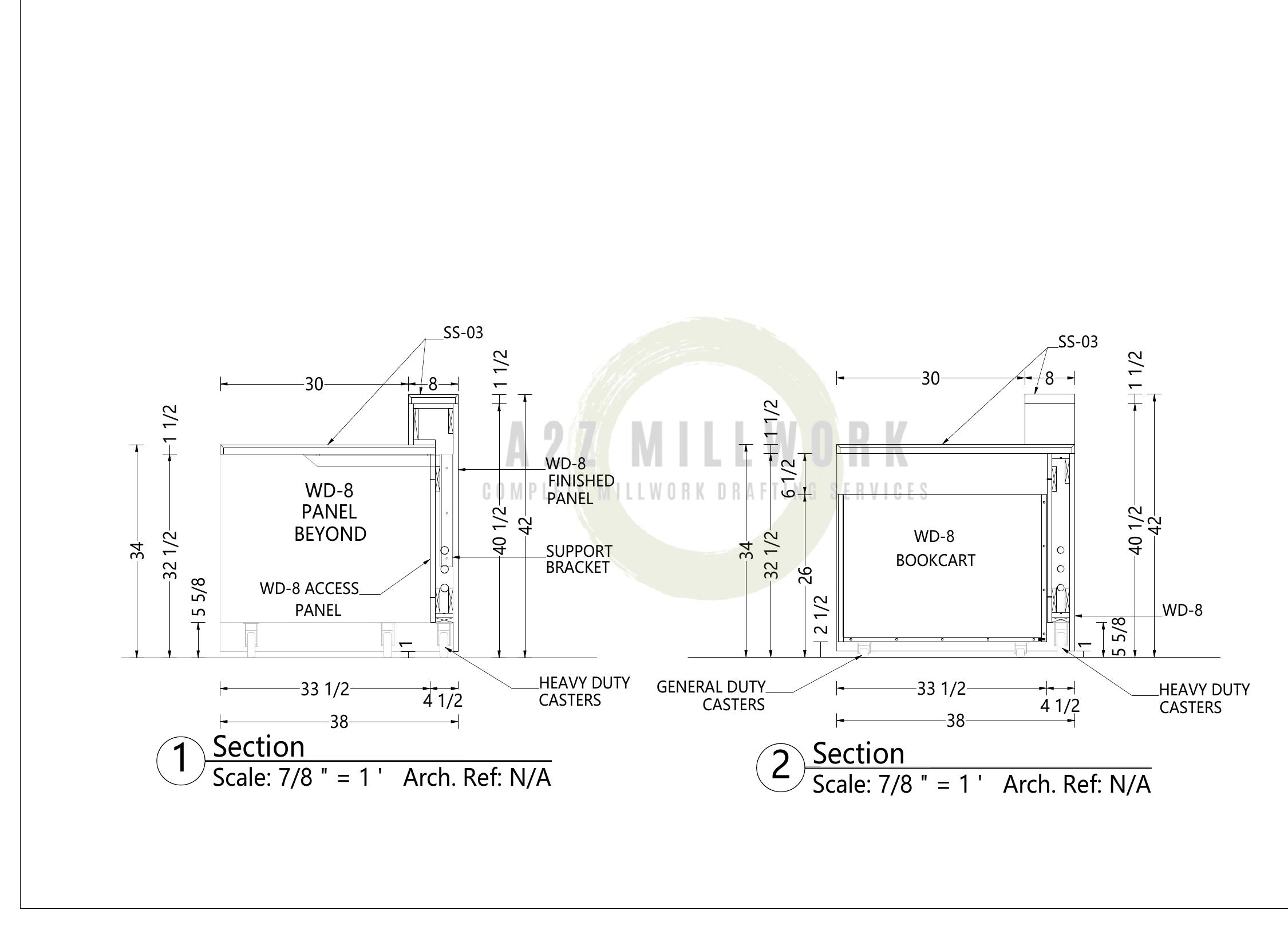
The drawings on this page are from one of our own sets, a mobile reception desk and book cart. The full package runs from 3D views the client can approve at a glance, through dimensioned plans and elevations, down to sections that call out access panels, support brackets, and the casters it rolls on. The software can hit that standard once a library is set up properly. Your drawings should hit it too, whether you make them in house or send them out.
Weighing the decision for your own shop? Send us one project and compare the result against doing it in house. Quotes are free and the drawings speak for themselves. Get a free quote.
FAQ's
Can A2Z work in our version of Cabinet Vision?
Yes. Files saved in a newer release of Cabinet Vision don't open in older ones, so we match the version your shop runs and confirm it before the first drawing goes out.
Do we need Screen-to-Machine if we don't run a CNC?
No. The drawing and reporting side licenses on its own, and shops without a machine use it for submittals and cut lists. Screen-to-Machine pays for itself when there's a machine on the floor waiting for parts.
Do you train on other software too?
Yes. The training service covers Cabinet Vision, Microvellum, and AutoCAD, so a shop running a mixed toolset can keep the learning under one roof.
Can you fix a library we already built?
Yes. We take on library and construction method cleanup for shops that bought Cabinet Vision years ago and built their standards in a hurry.